使用python3批量下载rbsp数据的示例代码
1. 原始网站
https://www.rbsp-ect.lanl.gov/data_pub/rbspa/
2. 算法说明
进入需要下载的数据所在的目录,获取并解析该目录下的信息,解析出cdf文件名后,将cdf文件下载到内存中,随后保存到硬盘中。程序使用python3实现。
3. 程序代码
#!/bin/python3
# get the rbsp data
# writen by Liangjin Song on 20191219
import sys
import requests
from pathlib import Path

# the url containing the cdf files
url="https://www.rbsp-ect.lanl.gov/data_pub/rbspa/ECT/level2/2016/"
# local path to save the cdf file
path="/home/liangjin/Downloads/test/"

def main():
  re=requests.get(url)
  html=re.text
  cdfs=resolve_cdf(html)

  ncdf=len(cdfs)
  if ncdf == 0:
    return

  print(str(ncdf) + " cdf files are detected.")

  i=1
  # download
  for f in cdfs:
    rcdf=url+f
    lcdf=path+f
    print(str(i)+ "  Downloading " + rcdf)
    download_cdf(rcdf,lcdf)
    i+=1
  return

# resolve the file name of cdf
def resolve_cdf(html):
  cdfs=list()
  head=html.find("href=")

  if head == -1:
    print("The cdf files not found!")
    return cdfs

  leng=len(html)

  while head != -1:
    tail=html.find(">",head,leng)
    # Extract the cdf file name
    cdf=html[head+6:tail-1]
    head=html.find("href=",tail,leng)
    if cdf.find('cdf') == -1:
      continue
    cdfs.append(cdf)
  return cdfs

def download_cdf(rcdf,lcdf):
  rfile=requests.get(rcdf)
  with open(lcdf,"wb") as f:
    f.write(rfile.content)
  f.close()
  return

if __name__ == "__main__":
  lpath=Path(path)
  if not lpath.is_dir():
    print("Path not found: " + path)
    sys.exit(0)
  sys.exit(main())
4. 使用说明
url为远程cdf文件所在路径。
path为本地保存cdf文件的路径。
url和path的末尾都有“/”(Linux下情形,若是Windows,路径分隔符为“\\”,则path末尾应为“\\”)。
5. 运行效果
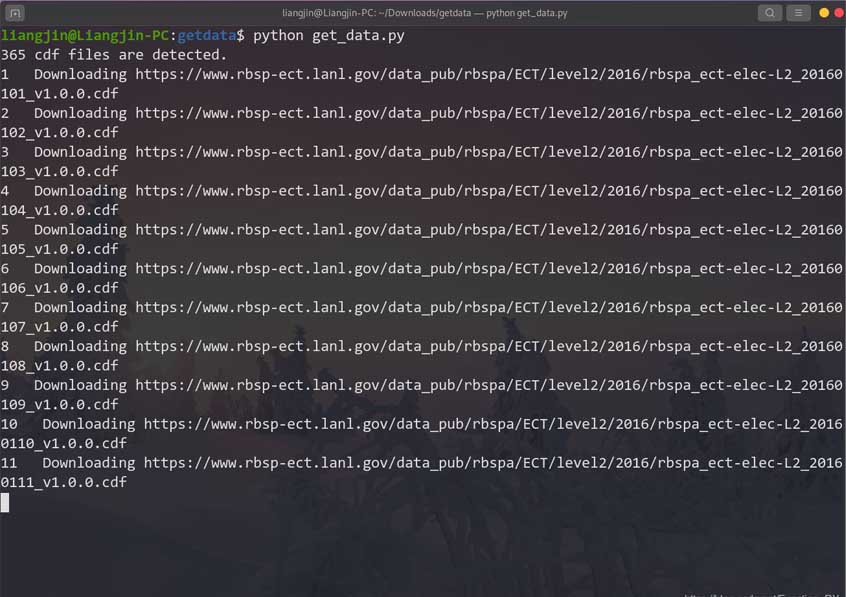
以上就是本文的全部内容,希望对大家的学习有所帮助,也希望大家多多支持【听图阁-专注于Python设计】。