Python实现抓取城市的PM2.5浓度和排名
主机环境:(Python2.7.9 / Win8_64 / bs4)
利用BeautifulSoup4来抓取 www.pm25.com 上的PM2.5数据,之所以抓取这个网站,是因为上面有城市PM2.5浓度排名(其实真正的原因是,它是百度搜PM2.5出来的第一个网站!)
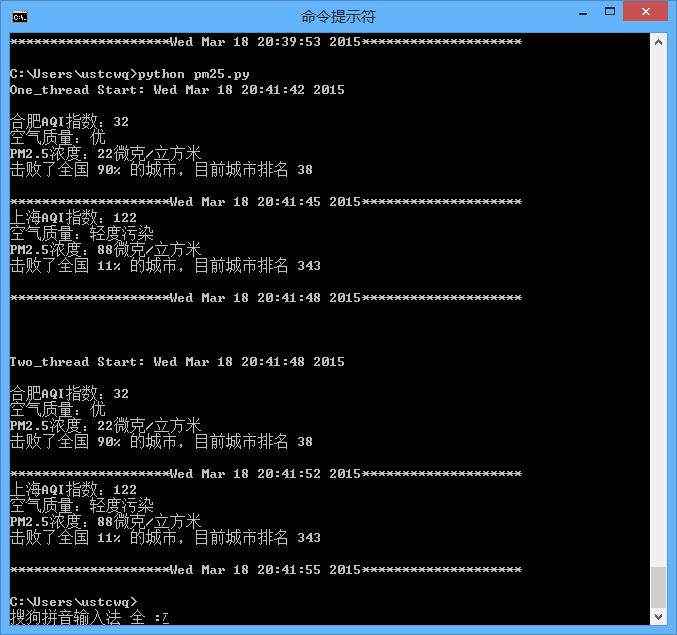
程序里只对比了两个城市,所以多线程的速度提升并不是很明显,大家可以弄10个城市并开10个线程试试。
最后吐槽一下:上海的空气质量怎么这么差!!!
PM25.py
复制代码 代码如下:
#!/usr/bin/env python
# -*- coding: utf-8 -*-
# by ustcwq
import urllib2
import threading
from time import ctime
from bs4 import BeautifulSoup
def getPM25(cityname):
site = 'http://www.pm25.com//' + cityname + '.html'
html = urllib2.urlopen(site)
soup = BeautifulSoup(html)
city = soup.find(class_ = 'bi_loaction_city') # 城市名称
aqi = soup.find("a",{"class","bi_aqiarea_num"}) # AQI指数
quality = soup.select(".bi_aqiarea_right span") # 空气质量等级
result = soup.find("div",class_ ='bi_aqiarea_bottom') # 空气质量描述
print city.text + u'AQI指数:' + aqi.text + u'\n空气质量:' + quality[0].text + result.text
print '*'*20 + ctime() + '*'*20
def one_thread(): # 单线程
print 'One_thread Start: ' + ctime() + '\n'
getPM25('hefei')
getPM25('shanghai')
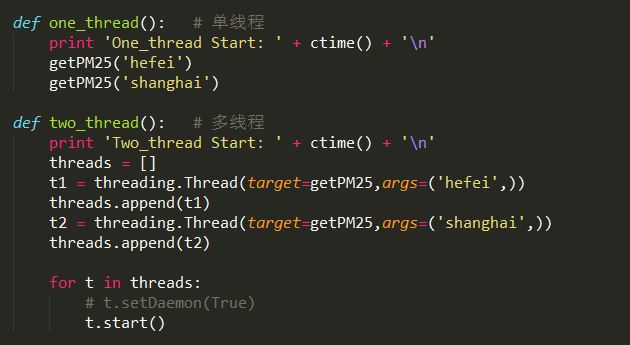
def two_thread(): # 多线程
print 'Two_thread Start: ' + ctime() + '\n'
threads = []
t1 = threading.Thread(target=getPM25,args=('hefei',))
threads.append(t1)
t2 = threading.Thread(target=getPM25,args=('shanghai',))
threads.append(t2)
for t in threads:
# t.setDaemon(True)
t.start()
if __name__ == '__main__':
one_thread()
print '\n' * 2
two_thread()
以上就是本文所述的全部内容了,希望大家能够喜欢。