python PIL模块与随机生成中文验证码
在这之前,你首先得了解Python中的PIL库。PIL是Python Imaging Library的简称,PIL是一个Python处理图片的库,提供了一系列模块和方法,比如:裁切,平移,旋转,改变尺寸等等。在PIL库中,任何一个图像都是用Image对象来表示的,所以要加载一张图片,最简单的形式如下:
from PIL import Image
image = Image.open("1.jpeg")
在PIL库中,最常用的模块有Image,ImageDraw,ImageEnhance,ImageFile等。
PIL的下载地址为:http://www.pythonware.com/products/pil/
接下来学习PIL中一些常见的操作:
(1)改变图片大小
from PIL import Image

image = Image.open("1.jpeg")
new_img = image.resize((256,256),Image.BILINEAR)
new_img.save("2.jpeg")
(2)旋转图片
from PIL import Image

image = Image.open("1.jpeg")
new_img = image.rotate(45)
new_img.save("2.jpeg")
(3)直线绘制
PIL库中的ImageDraw模块提供了图形绘制的基本功能,可以绘制直线,弧线,椭圆,矩形等等。
from PIL import Image,ImageDraw

image = Image.open("2.jpeg")
draw = ImageDraw.Draw(image)
width,height = image.size
draw.line(((0,0),(width-1,height-1)),fill=255)
draw.line(((0,height-1),(width-1,0)),fill=255)
image.save("2.jpeg")
(4)绘制圆
from PIL import Image,ImageDraw

image = Image.open("2.jpeg")
draw = ImageDraw.Draw(image)
width,height = image.size
draw.arc((0,0,width-1,height-1),0,360,fill=255)
image.save("2.jpeg")
更多方法可以参见帮助文档。
现在我们来研究利用Python如何生成中文验证码。其实这个问题简单,我们都知道验证码一般是用来防止网络机器
人采用无限次数的登录尝试破解密码,那么我们需要对这张图片随机生成中文字符来验证,一般来说会把图片的字表
现得很模糊,这样有效地防止机器人识别。所以我们除了要随机生成汉字,还要加入一些干扰线条等等。
# -*- coding: utf-8 -*-
from PIL import Image,ImageDraw,ImageFont
import random
import math, string

class RandomChar():
 @staticmethod
 def Unicode():
  val = random.randint(0x4E00, 0x9FBF)
  return unichr(val)

 @staticmethod
 def GB2312():
  head = random.randint(0xB0, 0xCF)
  body = random.randint(0xA, 0xF)
  tail = random.randint(0, 0xF)
  val = ( head << 8 ) | (body << 4) | tail
  str = "%x" % val
  return str.decode('hex').decode('gb2312')

class ImageChar:
 def __init__(self, fontColor = (0, 0, 0),
           size = (100, 40),
           fontPath = 'SIMSUN.TTC',
           bgColor = (255, 255, 255),
           fontSize = 20):
  self.size = size
  self.fontPath = fontPath
  self.bgColor = bgColor
  self.fontSize = fontSize
  self.fontColor = fontColor
  self.font = ImageFont.truetype(self.fontPath, self.fontSize)
  self.image = Image.new('RGB', size, bgColor)

 def rotate(self):
  self.image.rotate(random.randint(0, 30), expand=0)

 def drawText(self, pos, txt, fill):
  draw = ImageDraw.Draw(self.image)
  draw.text(pos, txt, font=self.font, fill=fill)

 def randRGB(self):
  return (random.randint(0, 255),
      random.randint(0, 255),
      random.randint(0, 255))

 def randPoint(self):
  (width, height) = self.size
  return (random.randint(0, width), random.randint(0, height))

 def randLine(self, num):
  draw = ImageDraw.Draw(self.image)
  for i in range(0, num):
   draw.line([self.randPoint(), self.randPoint()], self.randRGB())

 def randChinese(self, num):
  gap = 5
  start = 0
  for i in range(0, num):
   char = RandomChar().GB2312()
   x = start + self.fontSize * i + random.randint(0, gap) + gap * i
   self.drawText((x, random.randint(-5, 5)), RandomChar().GB2312(), self.randRGB())
   self.rotate()
  self.randLine(18)

 def save(self, path):
  self.image.save(path)

ic = ImageChar(fontColor=(100,211, 90))
ic.randChinese(4)
ic.save("1.jpeg")
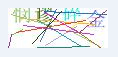
运行结果: