Django实现自定义404,500页面教程
1.创建一个项目
django-admin.py startproject HelloWorld
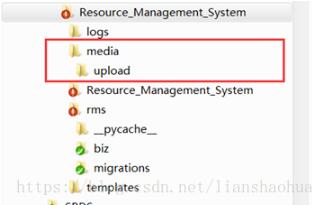
2.进入HelloWorld项目,在manage.py的同一级目录,创建templates目录,并在templates目录下新建404.html,500.html两个文件。
3.修改settings.py
(1.)DEBUG修改为False,(2.)ALLOWED_HOSTS添加指定域名或者IP,(3.)指定模板路径 ‘DIRS' : [os.path.join(BASE_DIR,‘templates')],
# SECURITY WARNING: don't run with debug turned on in production!


DEBUG = False


ALLOWED_HOSTS = ['localhost','www.example.com', '127.0.0.1']


TEMPLATES = [


 {


  'BACKEND': 'django.template.backends.django.DjangoTemplates',


  'DIRS': [os.path.join(BASE_DIR, 'templates')],


  'APP_DIRS': True,


  'OPTIONS': {


   'context_processors': [


    'django.template.context_processors.debug',


    'django.template.context_processors.request',


    'django.contrib.auth.context_processors.auth',


    'django.contrib.messages.context_processors.messages',


   ],


  },


 },


]
4.新建一个views.py
from django.http import HttpResponse

from django.shortcuts import render_to_response

from django.views.decorators.csrf import csrf_exempt

@csrf_exempt

def hello(request):

 return HttpResponse('Hello World!')

@csrf_exempt

def page_not_found(request):

 return render_to_response('404.html')

@csrf_exempt

def page_error(request):

 return render_to_response('500.html')
5.修改urls.py,代码如下
from django.conf.urls import url
from django.contrib import admin
import HelloWorld.views as view
urlpatterns = [
 url(r'^admin/', admin.site.urls),
 url(r'^test$', view.hello),
]
handler404 = view.page_not_found
handler500 = view.page_error
重新编译,重启uwsgi,输入localhost/HelloWorld/test,显示'Hello World!',输入其它地址会显示404.html内容,如果出错则显示500.html内容。