Python通过matplotlib绘制动画简单实例
Matplotlib是一个Python的2D绘图库,它以各种硬拷贝格式和跨平台的交互式环境生成出版质量级别的图形。
通过Matplotlib,开发者可以仅需要几行代码,便可以生成绘图,直方图,功率谱,条形图,错误图,散点图等。
matplotlib从1.1.0版本以后就开始支持绘制动画,具体使用可以参考官方帮助文档。下面是一个很基本的例子:
"""
A simple example of an animated plot
"""
import numpy as np
from matplotlib import pyplot as plt
from matplotlib import animation
# First set up the figure, the axis, and the plot element we want to animate
fig = plt.figure()
# create our line object which will be modified in the animation
ax = plt.axes(xlim=(0, 2), ylim=(-2, 2))
# we simply plot an empty line: we'll add data to the line later
line, = ax.plot([], [], lw=2)
# initialization function: plot the background of each frame
def init():
 line.set_data([], [])
 return line,
# animation function. This is called sequentially
# It takes a single parameter, the frame number i
def animate(i):
 x = np.linspace(0, 2, 1000)
 y = np.sin(2 * np.pi * (x - 0.01 * i)) # update the data
 line.set_data(x, y)
 return line,
# Makes an animation by repeatedly calling a function func
# frames can be a generator, an iterable, or a number of frames.
# interval draws a new frame every interval milliseconds.
# blit=True means only re-draw the parts that have changed.
# 在这里设置一个200帧的动画,每帧之间间隔20毫秒
anim = animation.FuncAnimation(fig, animate, init_func=init,
        frames=200, interval=20, blit=True)
# save the animation as an mp4. This requires ffmpeg or mencoder to be
# installed. The extra_args ensure that the x264 codec is used, so that
# the video can be embedded in html5. You may need to adjust this for
# your system: for more information, see
# http://matplotlib.sourceforge.net/api/animation_api.html
anim.save('basic_animation.mp4', fps=30, extra_args=['-vcodec', 'libx264'])

plt.show() # plt.show() 会一直循环播放动画
结果:
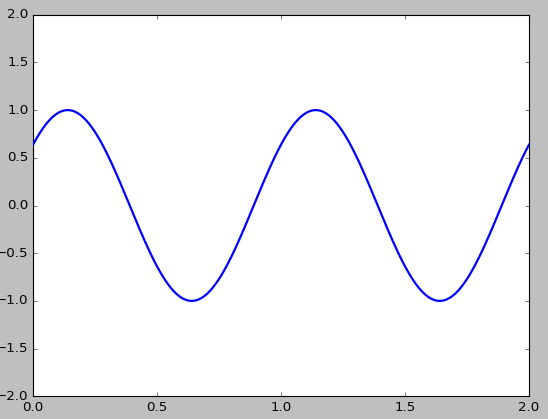
如果要将动画保存为mp4格式的视频文件,则需要先安装FFmpeg。FFmpeg是一套可以用来记录、转换数字音频、视频,并能将其转化为流的开源计算机程序。采用LGPL或GPL许可证。它提供了录制、转换以及流化音视频的完整解决方案。
在这里下载windows的版本:DownloadFFmpegforWindows,解压,然后将bin目录加入系统环境变量的路径中。如:C:\ProgramFiles\ffmpeg-3.2.2-win64-static\bin。然后测试是否配置OK:输入ffmpeg-version

总结
以上就是本文关于Python通过matplotlib绘制动画简单实例的全部内容,希望对大家有所帮助。感兴趣的朋友可以继续参阅本站其他相关专题,如有不足之处,欢迎留言指出。感谢朋友们对本站的支持!