Python制作豆瓣图片的爬虫
前段时间自学了一段时间的Python,想着浓一点项目来练练手。看着大佬们一说就是爬了100W+的数据就非常的羡慕,不过对于我这种初学者来说,也就爬一爬图片。
我相信很多人的第一个爬虫程序都是爬去贴吧的图片,嗯,我平时不玩贴吧,加上我觉得豆瓣挺良心的,我就爬了豆瓣首页上面的图片。其实最刚开始是想爬全站,后来一想我这简直是脑子犯抽,全站的图片爬下来得有多少,再说这个只是练一下手,所以就只爬取了首页上的图片。废话不多说 开始代码。
首先是主文件的代码:
import re
from html_downloder import HtmlDownloader
from html_downloder import Image

"'起始URL'"
url = "https://www.douban.com"
"'保存目录'"
image_path = "F:\source\Python\爬虫\ImageGet\Image%s.jpg"
"'定义实体类'"
downloader = HtmlDownloader()
html = downloader.download(url)
"'SaveFile(html, html_path)'"
html = html.decode('utf-8')
"'正则表达式'"
reg1 = r'="(https://img[\S]*?[jpg|png])"'
"'提取图片的URL'"
dbdata = re.findall(reg1, html)
imgsave = Image()

"'下载保存图片'"
imgsave.ImageGet(dbdata, image_path)
我们打开豆瓣首页然后看一下里面图片的url会发现


都是以“=”等号开头,后面接双引号,中间都是https://img,末尾以双引号结束。
因此我们的正则表达式可以写成 reg1 = r'="(https://img[\S]*?[jpg|png])"'
在这个表达式中"[]"中括号里面的东西会作为一个整体,其中[\S]表示大小写字母和数字,[jpg|png]表示以png结尾或者jpg结尾(在这次爬虫中并没有包括gif,因为打开gif的url发现是空白)。
然后是html_downloder.py的代码:
 # file: html_downloader.py

 import urllib.request
 import urllib.error
 import time

 class HtmlDownloader(object):
  def download(self, url):
   if url is None:
    return None
   try:
    header = {'User-Agent': 'Mozilla/5.0 (Windows NT 10.0; WOW64)'}
    "'发出请求'"
    request = urllib.request.Request(url=url, headers=header)
    "'获取结果'"
    response = urllib.request.urlopen(url)
   except urllib.error.URLError as e:
    if hasattr(e, "code"):
     print(e.code)
    if hasattr(e, "reason"):
     print(e.reason)
   if response.getcode() != 200:
    return None
   html = response.read()
   response.close()
   return html

 class Image (object):
  def ImageGet(self, imageurl, image_path):
   x = 0
   for li in imageurl:
    urllib.request.urlretrieve(li, image_path % x)
    x = x + 1
    "'休眠5s以免给服务器造成严重负担'"
    time.sleep(5)
这个文件的代码主要是负责下载html网页和下载具体的图片。
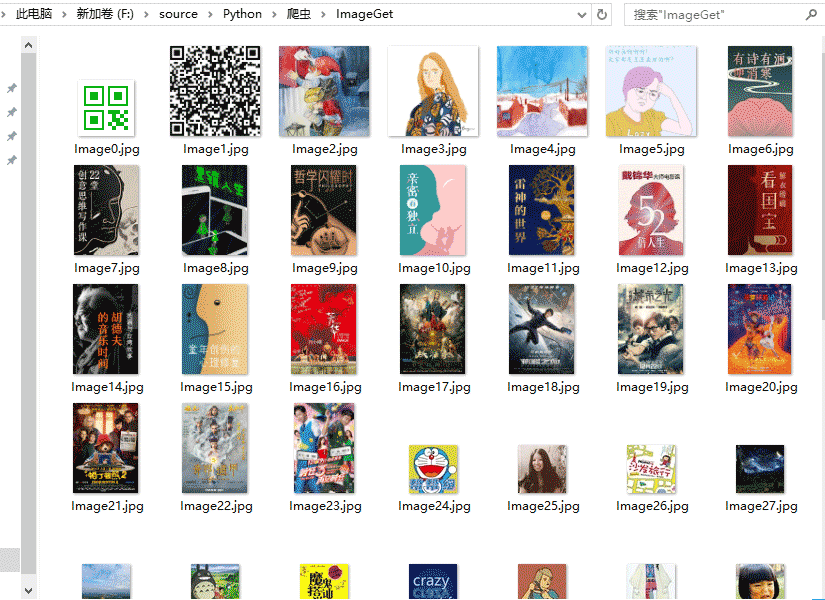
接下来就可以在保存路径对应的文件夹中中看到下载的图片了
至此,爬虫告一段落,离大佬的路还远得很,继续加油!!