名片管理系统python版
本文实例为大家分享了python名片管理系统的具体代码,供大家参考,具体内容如下
import os
list_all = []


def page():
 """输出主页面"""
 print("*" * 30)
 print("欢迎使用[名片管理系统]v2.0")
 print()
 print("1.新建名片")
 print("2.查看全部")
 print("3.查询名片")
 print("4.保存信息")
 print()
 print("0.退出系统")
 print("=" * 30)


def new_cards():
 """接收用户输入的信息保存至字典"""
 dict_1 = {"name": input("姓名:"),
  "age": input("年龄:"),
  "phone": input("电话:"),
  "email": input("邮箱:")}
 # 将字典添加至列表
 list_all.append(dict_1)


def check_all():
 """将所有的字典信息进行打印"""
 if len(list_all) > 0:
 print("姓名\t\t年龄\t\t电话\t\t邮箱")
 for i in list_all:
  print("%s\t\t%s\t\t%s\t\t%s" % (i["name"], i["age"],
      i["phone"], i["email"]))
 else:
  print("还没有任何信息")


def check_cards():
 """查询名片"""
 user = input("请输入要查询的姓名:")
 for i in list_all: # 遍历全局列表,将存入的字典依次取出
 if i['name'] == user: # 如果字典的值跟用户搜索的值相同打印字典
  print("姓名\t\t年龄\t\t电话\t\t邮箱")
  print("%s\t\t%s\t\t%s\t\t%s" % (i["name"], i["age"],
      i["phone"], i["email"]))
  revise_cards(i)
 else:
  print("没有查询到您搜索的信息")


def revise_cards(dict_1):
 """修改名片,接收之前已经查到的字典"""
 while True:
 user_choor = input("1.修改名片 2.删除名片 0.返回主菜单")
 if user_choor == "1": # 如果用户输入1执行修改功能
  print("修改名片,注:修改直接输入修改内容,回车不修改")
  dict_1["name"] = revise(dict_1["name"], input("姓名"))
  dict_1["age"] = revise(dict_1["age"], input("年龄"))
  dict_1["phone"] = revise(dict_1["phone"], input("电话"))
  dict_1["email"] = revise(dict_1["email"], input("邮箱"))
  print("修改成功")
  break
 # laturn
 elif user_choor == "2": # 如果输入2删除字典
  list_all.remove(dict_1)
  print("删除名片成功")
  break
 elif user_choor == "0":
  break
 else:
  print("输入错误请重新输入")


def revise(old, new):
 """实现回车不修改的功能"""
 if len(new) <= 0:

 return old
 else:
 return new


def save_dir():
 """将文件保存至指定文件"""
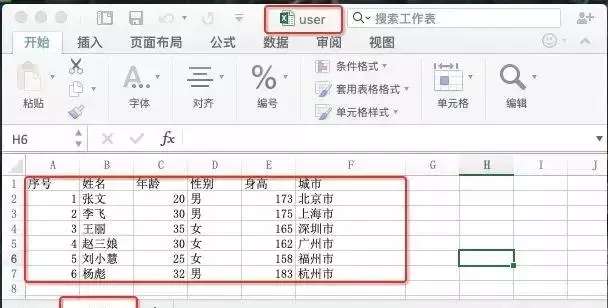
 a = open("123.xlsx", "w")
 a.write(str(list_all))
 a.close()
 print("保存成功")


def read_dir():
 """读取文件"""
 if os.path.exists("123.data"):
 a = open("123.data", "r")
 b = eval(a.read())
 global list_all
 list_all = b
 a.close()
import cards_tools
# 读取文件
cards_tools.read_dir()
while True:
 cards_tools.page()
 user_input = input("请选择您要执行的操作")
 if user_input == "1":
 print("即将执行:新建名片")
 cards_tools.new_cards()
 elif user_input == "2":
 print("即将执行:查看全部")
 cards_tools.check_all()
 elif user_input == "3":
 print("即将执行:查询名片")
 cards_tools.check_cards()
 elif user_input == "4":
 print("即将执行:保存信息")
 cards_tools.save_dir()
 elif user_input == "0":
 print("欢迎下次使用[名片管理系统]")
 exit()
 else:
 print("你的输入有误,请重新输入")
更多学习资料请关注专题《管理系统开发》。
以上就是本文的全部内容,希望对大家的学习有所帮助,也希望大家多多支持【听图阁-专注于Python设计】。