python+matplotlib实现鼠标移动三角形高亮及索引显示
Trifinder事件实例
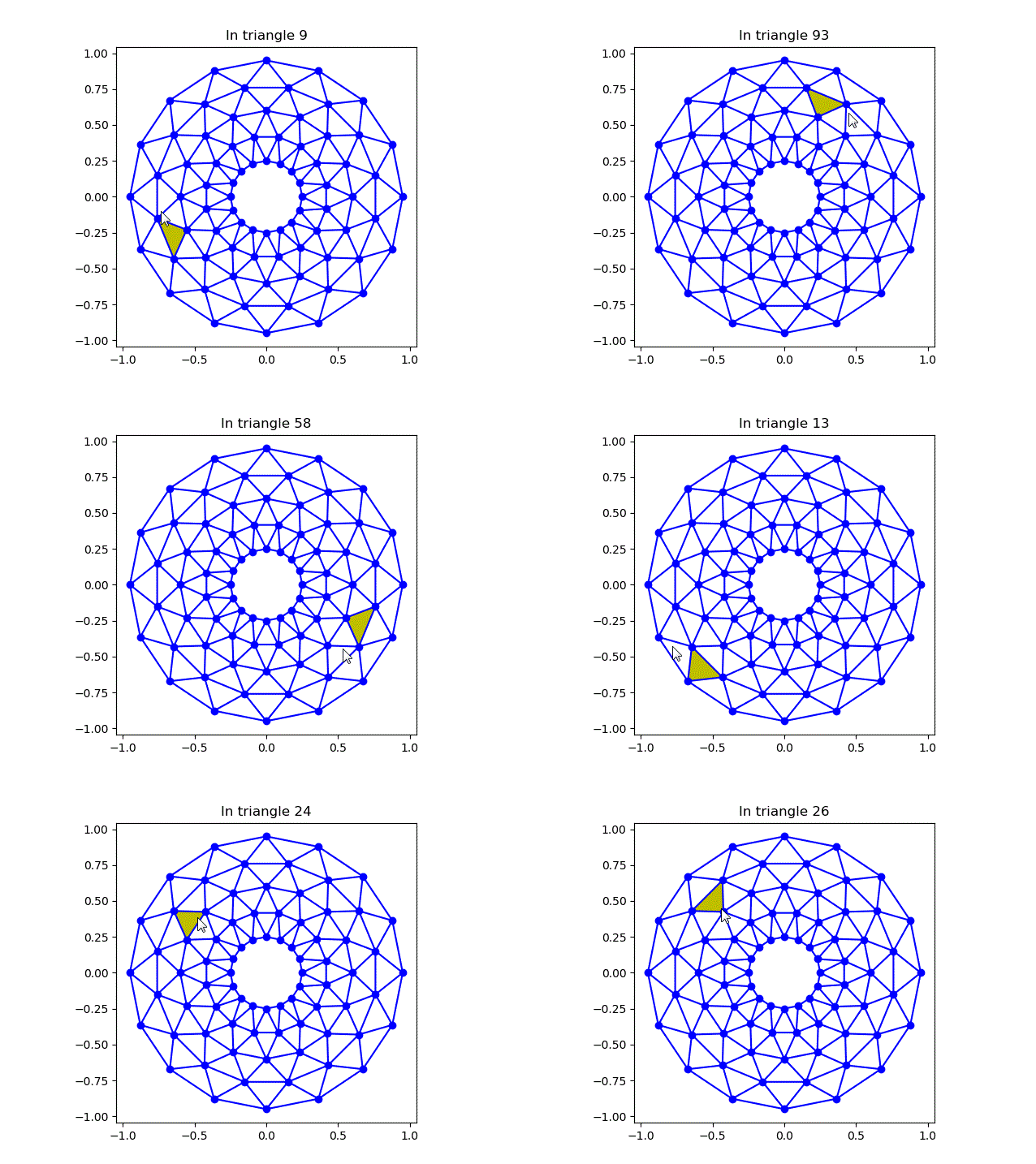
实例展示Trifinder对象对的使用。当鼠标移动到一个被分割的三角形上,这个三角形高亮显示,并且它的标签在图标题显示。
展示下演示结果:
完整代码:
import matplotlib.pyplot as plt
from matplotlib.tri import Triangulation
from matplotlib.patches import Polygon
import numpy as np


def update_polygon(tri):
  if tri == -1:
    points = [0, 0, 0]
  else:
    points = triang.triangles[tri]
  xs = triang.x[points]
  ys = triang.y[points]
  polygon.set_xy(list(zip(xs, ys)))


def motion_notify(event):
  if event.inaxes is None:
    tri = -1
  else:
    tri = trifinder(event.xdata, event.ydata)
  update_polygon(tri)
  plt.title('In triangle %i' % tri)
  event.canvas.draw()


# Create a Triangulation.
n_angles = 16
n_radii = 5
min_radius = 0.25
radii = np.linspace(min_radius, 0.95, n_radii)
angles = np.linspace(0, 2 * np.pi, n_angles, endpoint=False)
angles = np.repeat(angles[..., np.newaxis], n_radii, axis=1)
angles[:, 1::2] += np.pi / n_angles
x = (radii*np.cos(angles)).flatten()
y = (radii*np.sin(angles)).flatten()
triang = Triangulation(x, y)
triang.set_mask(np.hypot(x[triang.triangles].mean(axis=1),
             y[triang.triangles].mean(axis=1))
        < min_radius)

# Use the triangulation's default TriFinder object.
trifinder = triang.get_trifinder()

# Setup plot and callbacks.
plt.subplot(111, aspect='equal')
plt.triplot(triang, 'bo-')
polygon = Polygon([[0, 0], [0, 0]], facecolor='y') # dummy data for xs,ys
update_polygon(-1)
plt.gca().add_patch(polygon)
plt.gcf().canvas.mpl_connect('motion_notify_event', motion_notify)
plt.show()
总结
本文所示是一个Python+matplotlib实现的简单实例,希望对大家有所帮助。感兴趣的朋友可以继续参阅本站其他相关专题,如有不足之处,欢迎留言指出。感谢朋友们对本站的支持!
