Python 读取指定文件夹下的所有图像方法
(1)数据准备
数据集介绍:
数据集中存放的是1223幅图像,其中756个负样本(图像名称为0.1~0.756),458个正样本(图像名称为1.1~1.458),其中:"."前的标号为样本标签,"."后的标号为样本序号
(2)利用python读取文件夹中所有图像
'''
Load the image files form the folder
input:
  imgDir: the direction of the folder
  imgName:the name of the folder
output:
  data:the data of the dataset
  label:the label of the datset
'''
def load_Img(imgDir,imgFoldName):
  imgs = os.listdir(imgDir+imgFoldName)
  imgNum = len(imgs)
  data = np.empty((imgNum,1,12,12),dtype="float32")
  label = np.empty((imgNum,),dtype="uint8")
  for i in range (imgNum):
    img = Image.open(imgDir+imgFoldName+"/"+imgs[i])
    arr = np.asarray(img,dtype="float32")
    data[i,:,:,:] = arr
    label[i] = int(imgs[i].split('.')[0])
  return data,label
这里得到的data和label都是ndarray数据
data: (1223,1,12,12)
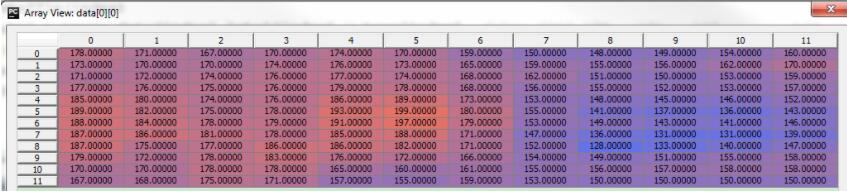
label:(1223,)

注:nddary数据类型是numpy提供的一个数据类型,即N-dimensional array,它弥补了python中array不支持多维的缺陷
(3)调用方式
craterDir = "./data/CraterImg/Adjust/"
foldName = "East_CraterAdjust12"
data, label = load_Img(craterDir,foldName)
以上这篇Python 读取指定文件夹下的所有图像方法就是小编分享给大家的全部内容了,希望能给大家一个参考,也希望大家多多支持【听图阁-专注于Python设计】。