对python GUI实现完美进度条的示例详解
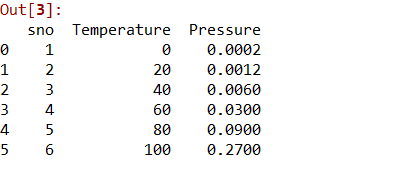
在用python做一个GUI界面时,想搞一个进度条实时显示下载进度,但查阅很多博客,最后的显示效果都类似下面这种:

这种效果在CMD界面看着还可以,但放到图形界面时就有点丑了,所以我用Canvas重新做了一个进度条,完美满足了我的要求,看着也比较舒服。
import time
import threading
from tkinter import *


def update_progress_bar():
	for percent in range(1, 101):
		hour = int(percent/3600)
		minute = int(percent/60) - hour*60
		second = percent % 60
		green_length = int(sum_length * percent / 100)
		canvas_progress_bar.coords(canvas_shape, (0, 0, green_length, 25))
		canvas_progress_bar.itemconfig(canvas_text, text='%02d:%02d:%02d' % (hour, minute, second))
		var_progress_bar_percent.set('%0.2f %%' % percent)
		time.sleep(1)


def run():
	th = threading.Thread(target=update_progress_bar)
	th.setDaemon(True)
	th.start()


top = Tk()
top.title('Progress Bar')
top.geometry('800x500+290+100')
top.resizable(False, False)
top.config(bg='#535353')

# 进度条
sum_length = 630
canvas_progress_bar = Canvas(top, width=sum_length, height=20)
canvas_shape = canvas_progress_bar.create_rectangle(0, 0, 0, 25, fill='green')
canvas_text = canvas_progress_bar.create_text(292, 4, anchor=NW)
canvas_progress_bar.itemconfig(canvas_text, text='00:00:00')
var_progress_bar_percent = StringVar()
var_progress_bar_percent.set('00.00 %')
label_progress_bar_percent = Label(top, textvariable=var_progress_bar_percent, fg='#F5F5F5', bg='#535353')
canvas_progress_bar.place(relx=0.45, rely=0.4, anchor=CENTER)
label_progress_bar_percent.place(relx=0.89, rely=0.4, anchor=CENTER)
# 按钮
button_start = Button(top, text='开始', fg='#F5F5F5', bg='#7A7A7A', command=run, height=1, width=15, relief=GROOVE, bd=2, activebackground='#F5F5F5', activeforeground='#535353')
button_start.place(relx=0.45, rely=0.5, anchor=CENTER)

top.mainloop()
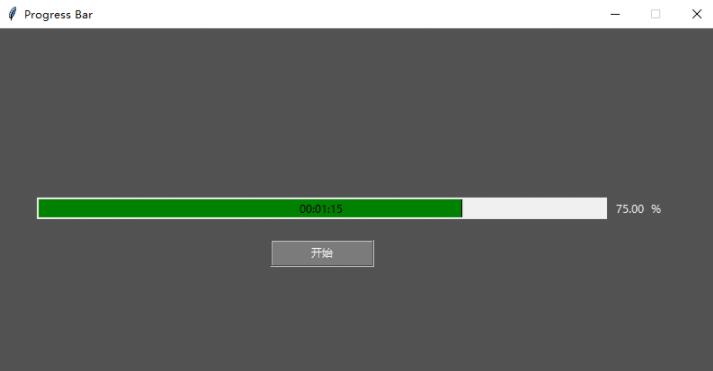
显示效果如下:
以上这篇对python GUI实现完美进度条的示例详解就是小编分享给大家的全部内容了,希望能给大家一个参考,也希望大家多多支持【听图阁-专注于Python设计】。