Python实战购物车项目的实现参考
购物车程序
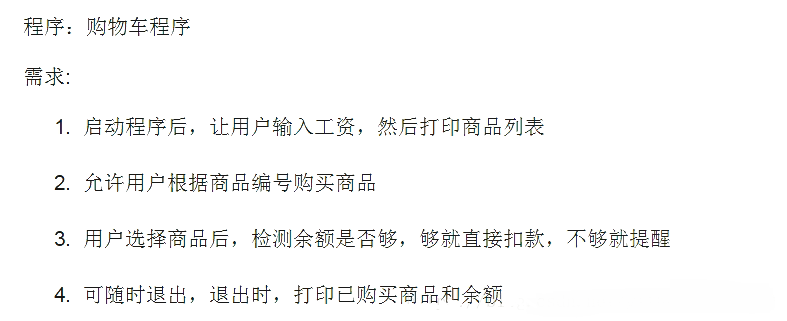
要求如下图
代码
# --*--coding:utf-8--*--
# Author: 村雨
import pprint
productList = [('Iphone 8', 10000),
        ('GTX2080', 8000),
        ('Z7KP7-GT', 6000),
        ('Mac pro', 15000),
        ('Honor 10', 2800),
        ('Iphone XR', 12000),
        ('Mi 8', 2999)
        ]
shoppingList = []
print('输入你的工资:')
salary = input()
if not salary.isdigit():
  print('请输入整数')
else:
  salary = int(salary)
  while True:
    for index, item in enumerate(productList):
      print(index + 1, item)
    print('输入你要买的商品的序号:')
    userWant = input()
    if userWant.isdigit():
      userWant = int(userWant)
      if userWant <= len(productList) and userWant > 0:
        print('你要购买的是:', productList[userWant - 1][0])
        if salary >= productList[userWant - 1][1]:
          shoppingList.append(productList[userWant - 1][0])
          salary -= productList[userWant - 1][1]
          print('你已经购买了' + productList[userWant - 1][0] + ', 你的余额为 ' + str(salary))
        else:
          print('对不起,你的余额不足!请努力工作吧!')
          print('你当前所购买的商品为:')
          for brought in shoppingList:
            pprint.pprint(brought)
          print('你当前余额为:', salary)
          exit()
      else:
        print('你输入的商品序号有错,请重新输入')
    elif userWant == 'q':
      print('-----------Shopping List----------')
      for brought in shoppingList:
        pprint.pprint(brought)
      print('你的余额为 ', salary)
      exit()
    else:
      print('Invalid input!!!')
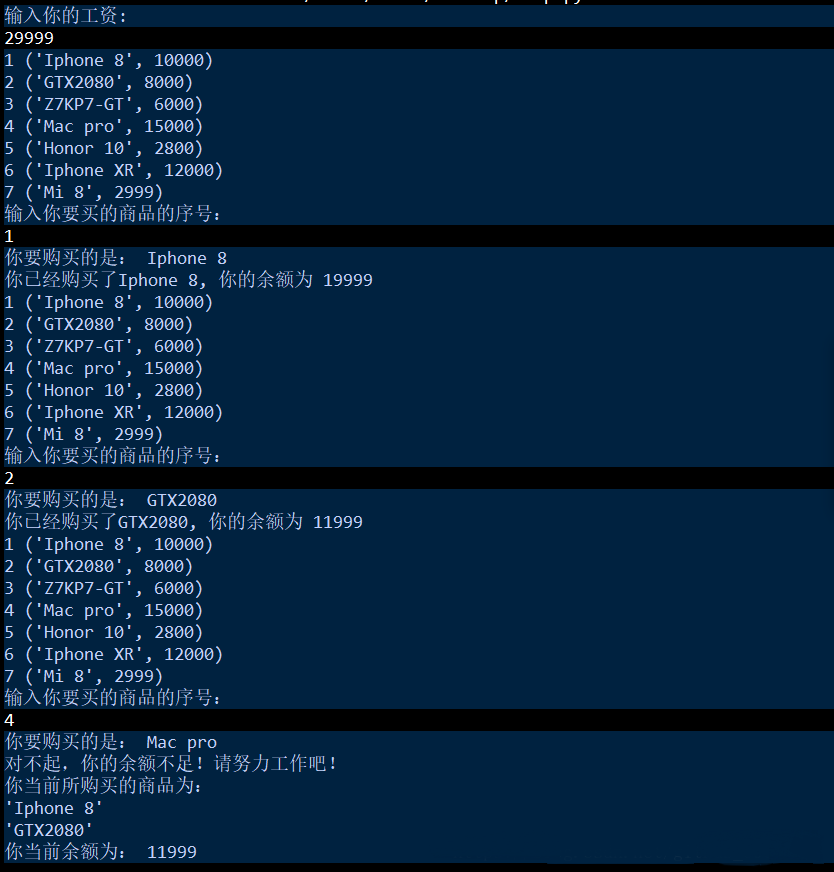
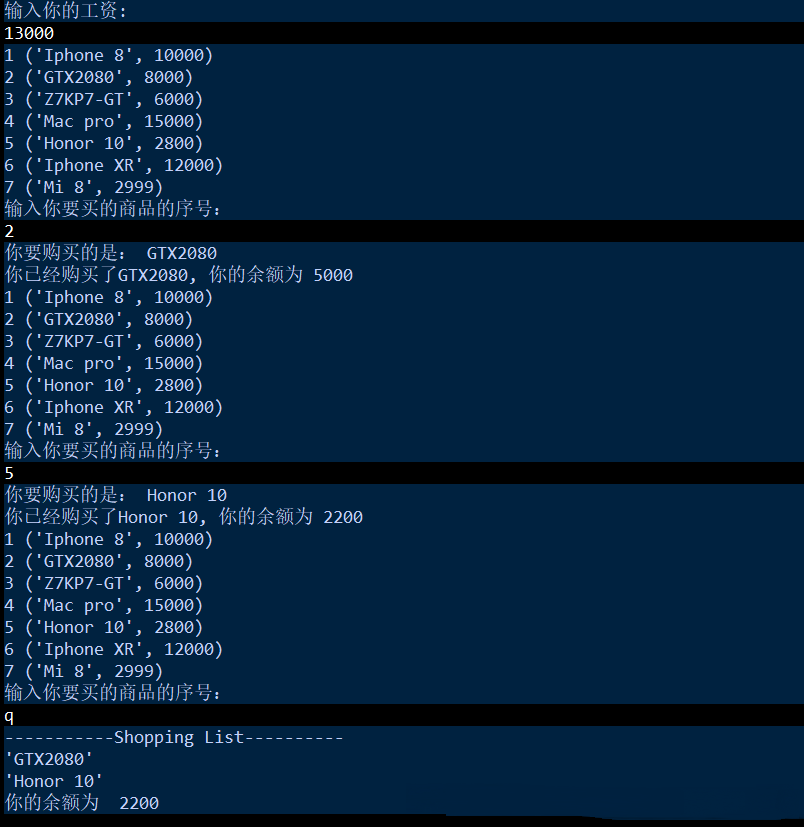
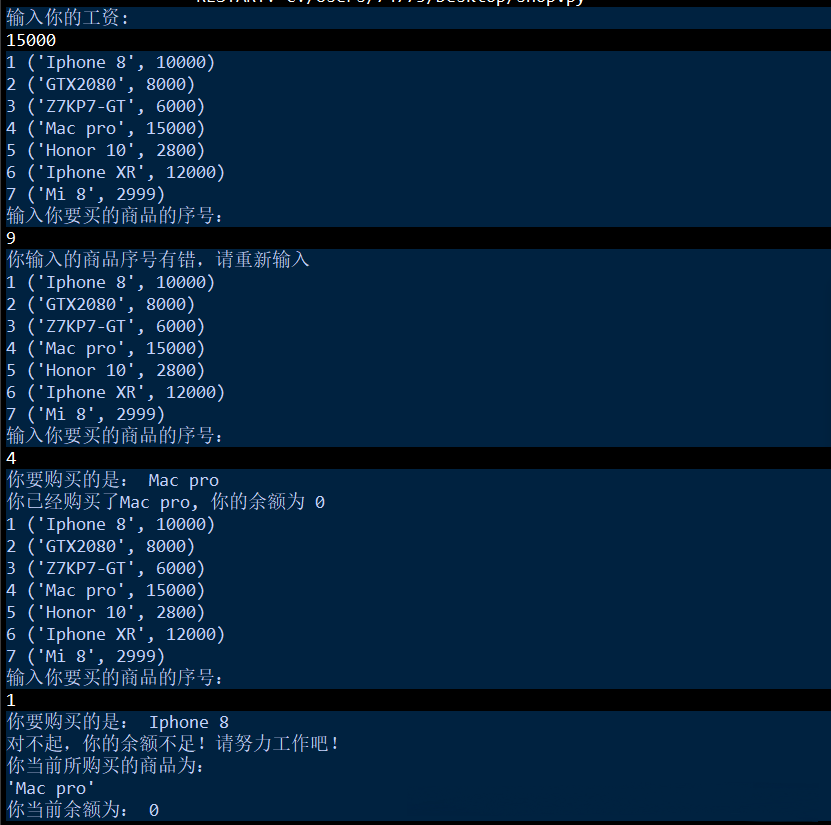
结果
总结
以上就是这篇文章的全部内容了,希望本文的内容对大家的学习或者工作具有一定的参考学习价值,谢谢大家对【听图阁-专注于Python设计】的支持。如果你想了解更多相关内容请查看下面相关链接