Python实现个人微信号自动监控告警的示例
wechat_sender 是基于 wxpy 和 tornado 实现的一个可以将你的网站、爬虫、脚本等其他应用中各种消息 (日志、报警、运行结果等) 发送到微信的工具。
运行环境
Python 2.7 及以上 Python 3 及以上
实现过程
安装 pip 工具
[root@server1 ~]# wget https://bootstrap.pypa.io/get-pip.py
[root@server1 ~]# python get-pip.py
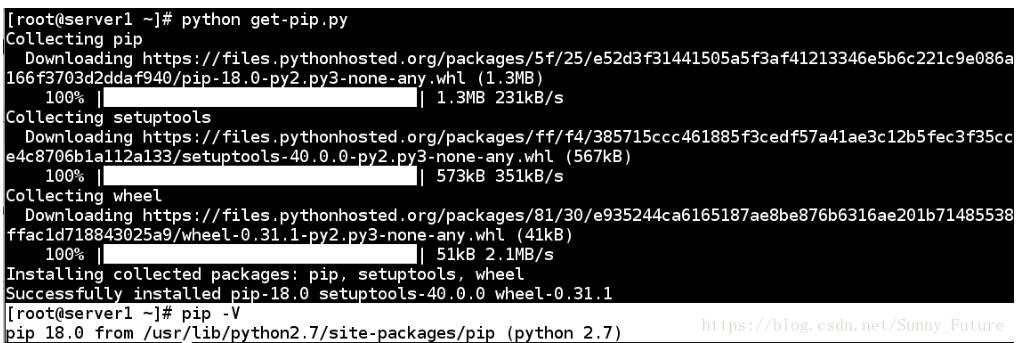
pip 安装模块
##安装依赖软件
[root@server1 ~]# yum install -y gcc python-devel
##安装
[root@server1 ~]# pip install wechat_sender
Web登录微信发送消息
安装web服务器
[root@server1 ~]# yum install -y httpd
[root@server1 ~]# systemctl start http
[root@server1 ~]# systemctl stop firewalld
[root@server1 ~]# cat /var/www/html/index.html
<html>
<head><meta http-equiv="refresh" content="2"></head>
<style>
  body {
    width: 35em;
    margin: 0 auto;
    font-family: Tahoma, Verdana, Arial, sans-serif;
  }
</style>
<body>
<img src="/qr.png">
</body>
</html>
python脚本代码
[root@server1 ~]# cat /var/www/html/sender.py
#!/bin/bash/env python
#coding:utf-8

from wxpy import *
from wechat_sender import *
from wechat_sender import Sender

#bot = Bot()  ##windows直接扫
#下面这个是服务器版(Linux)
#bot = Bot(qr_path="qr.png")
#避免重复登录重复扫二维码
bot = Bot(qr_path="qr.png",cache_path=True)
##通过文件助手给登录的微信号发消息
bot.file_helper.send('Hello world!')
web登录微信
##执行python脚本,占用终端,web登录后会有提示
[root@server1 ~]# cd /var/www/html/
[root@server1 ~]# python sender.py
Getting uuid of QR code.
Downloading QR code.
xdg-open: no method available for opening 'qr.png'
Please scan the QR code to log in.
另一方面,打开浏览器输入 ip or localhost,微信扫一扫
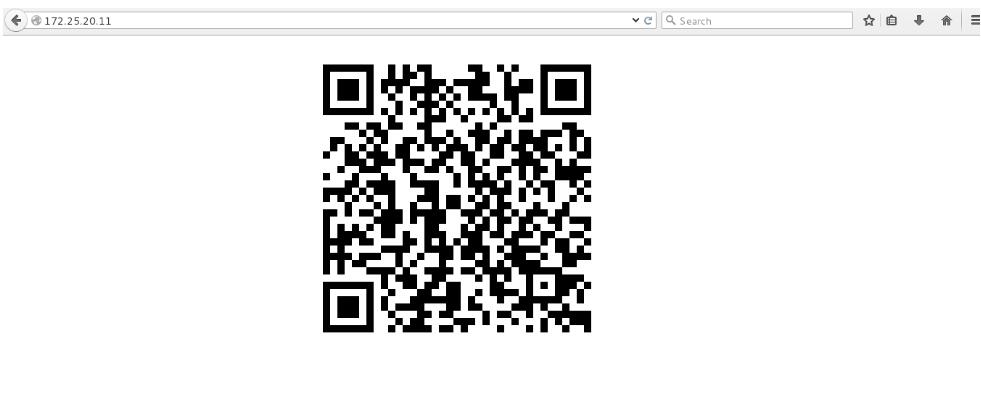
微信登录后,终端释放,提示成功,消息同时发送,并且web二维码失效
Login successfully as someone
微信点击确认

查看手机助手,消息已经收到!
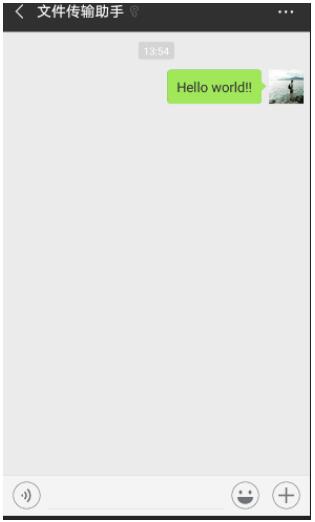
监控80端口,自动告警
若是web服务也是80端口,请先登录成功后,如下操作。
shell脚本
[root@server1 ~]# cat /var/www/html/check_80.sh
#!/bin/sh

x=$(netstat -antlp | grep '\<80\>'|awk -F' ' '{print $4}'|awk -F: '{print $2}')

if [ "$x" != 80 ];then
 python /var/www/html/check_80.py &
else
 python /var/www/html/check01_80.py &
fi
##添加执行权限
[root@server1 ~]# chomd +x /var/www/html/check_80.sh
[root@server1 ~]# cat /var/www/html/check01_80.py
#!/bin/sh/env python
#coding:utf-8

from wxpy import *
from wechat_sender import *
from wechat_sender import Sender

bot = Bot(qr_path="qr.png",cache_path=True)
##通过文件助手给登录的微信号发消息
bot.file_helper.send('port 80 nice!')
[root@server1 ~]# cat /var/www/html/check_80.py
#!/bin/sh/env python
#coding:utf-8

from wxpy import *
from wechat_sender import *
from wechat_sender import Sender

bot = Bot(qr_path="qr.png",cache_path=True)
##通过文件助手给登录的微信号发消息
bot.file_helper.send('port 80 error!')
[root@server1 ~]# cat /mnt/check.sh
#!/bin/sh

cd /var/www/html
sh check_80.sh
[root@server1 ~]# chmod +x /mnt/check.sh
测试脚本
1.httpd 服务开启时,端口 80 存在
[root@server1 ~]# sh /mnt/check.sh
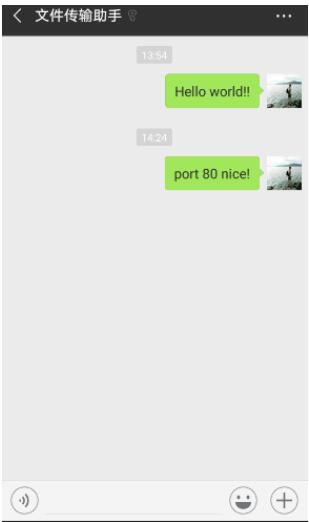
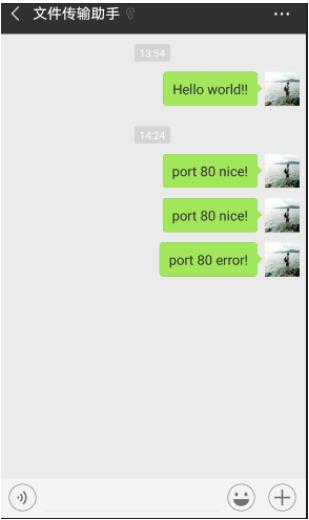
2.httpd 服务关闭后,端口 80 不存在
[root@server1 ~]# systemctl stop httpd
[root@server1 ~]# sh /mnt/check.sh
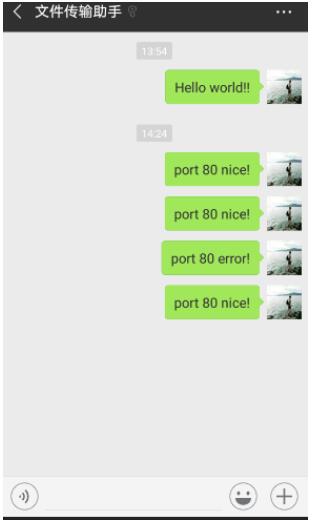
3.httpd 服务再次开启,端口 80 存在
[root@server1 ~]# systemctl start httpd
[root@server1 ~]# sh /mnt/check.sh
添加任务计划自动监控进行告警
[root@server1 ~]# crontab -e
* 1 * * * sh /mnt/check.sh
投入使用
添加任务计划后,妥善修改脚本,避免频繁告警。
以上这篇Python实现个人微信号自动监控告警的示例就是小编分享给大家的全部内容了,希望能给大家一个参考,也希望大家多多支持【听图阁-专注于Python设计】。