python实现爬虫抓取小说功能示例【抓取金庸小说】
本文实例讲述了python实现爬虫抓取小说功能。分享给大家供大家参考,具体如下:
# -*- coding: utf-8 -*-
from bs4 import BeautifulSoup
from urllib import request
import re
import os,time
#访问url,返回html页面
def get_html(url):
  req = request.Request(url)
  req.add_header('User-Agent','Mozilla/5.0')
  response = request.urlopen(url)
  html = response.read()
  return html
#从列表页获取小说书名和链接
def get_books(url):#根据列表页,返回此页的{书名:链接}的字典
  html = get_html(url)
  soup = BeautifulSoup(html,'lxml')
  fixed_html = soup.prettify()
  books = soup.find_all('div',attrs={'class':'bbox'})
  book_dict = {}
  for book in books:
    book_name = book.h3.a.string
    book_url = book.h3.a.get('href')
    book_dict[book_name] = book_url
  return book_dict
#根据书名链接,获取具体的章节{名称:链接} 的字典
def get_parts(url):
  html = get_html(url)
  soup = BeautifulSoup(html,'lxml')
  fixed_html = soup.prettify()
  part_urls = soup.find_all('a')
  host = "http://www.xiaoshuotxt.org"
  part_dict = {}
  for p in part_urls:
    p_url = str(p.get('href'))
    if re.search(r'\d{5}.html',p_url) and ("xiaoshuotxt" not in p_url):
      part_dict[p.string] = host + p_url
  return part_dict
#根据章节的url获取具体的章节内容
def get_txt(url):
  html = get_html(url)
  soup = BeautifulSoup(html,'lxml')
  fixed_html = soup.prettify()
  title = soup.h1.string #获取文章标题
  content = soup.find('div',attrs={'class':'zw'})
  txt = BeautifulSoup.get_text(content) #正文内容
  return txt
if __name__ == "__main__":
  root_dir= r'e:\books'
  #url = 'http://www.xiaoshuotxt.org/mingzhu/index_2.html' #第2页的小说
  url = "http://www.xiaoshuotxt.org/writer/58" #金庸的小说
  books = get_books(url)
  for book_name,book_url in books.items():
    os.mkdir(os.path.join(root_dir,book_name))
    part_dict = get_parts(book_url)
    print(book_name,"共:",len(part_dict),"章节")
    for part_name,part_url in part_dict.items():
      print("正在保存:",part_name)
      f1 = open(r'e:\books\%s\%s.txt'%(book_name,part_name),'w',encoding='utf-8')#以utf-8编码创建文件
      part_txt = get_txt(part_url)
      f1.write(str(part_txt))
      f1.close()
      time.sleep(2)
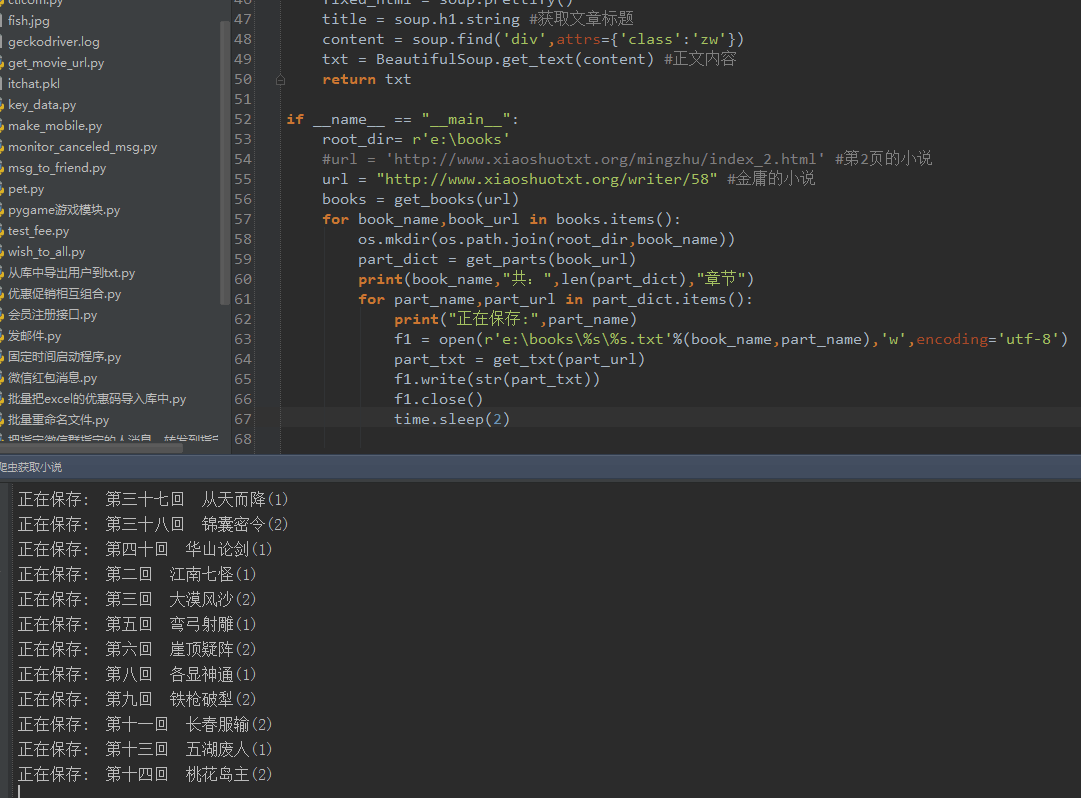
运行效果:
更多关于Python相关内容可查看本站专题:《Python Socket编程技巧总结》、《Python正则表达式用法总结》、《Python数据结构与算法教程》、《Python函数使用技巧总结》、《Python字符串操作技巧汇总》、《Python入门与进阶经典教程》及《Python文件与目录操作技巧汇总》
希望本文所述对大家Python程序设计有所帮助。