python图片二值化提高识别率代码实例
这篇文章主要介绍了python图片二值化提高识别率代码实例,文中通过示例代码介绍的非常详细,对大家的学习或者工作具有一定的参考学习价值,需要的朋友可以参考下
代码如下
import cv2from PIL import Imagefrom pytesseract import pytesseractfrom PIL import ImageEnhanceimport reimport string
def createFile(filePath,newFilePath):

  img = Image.open(filePath)

  # 模式L”为灰色图像,它的每个像素用8个bit表示,0表示黑,255表示白,其他数字表示不同的灰度。
  Img = img.convert('L')
  Img.save(newFilePath)

  # 自定义灰度界限,大于这个值为黑色,小于这个值为白色
  threshold = 200

  table = []
  for i in range(256):
    if i < threshold:
      table.append(0)
    else:
      table.append(1)

  # 图片二值化
  photo = Img.point(table, '1')
  photo.save(newFilePath)
if __name__ == '__main__':
createFile(r'1.bmp',r'newTest.png')
原图:

处理过后的图:

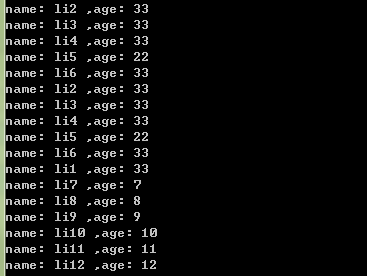
识别结果:

以上就是本文的全部内容,希望对大家的学习有所帮助,也希望大家多多支持【听图阁-专注于Python设计】。