Python3 全自动更新已安装的模块实现
1. 手动操作
1.1. 显示模块
pip list
1.2. 显示过期模块
pip list --outdated
1.3. 安装模块
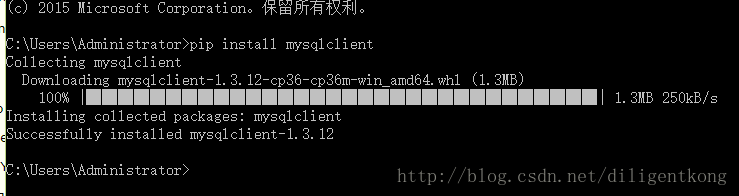
pip install xxx
1.4. 升级模块
pip install --upgrade xxx
2. 自动操作
手动敲命令升级有点儿麻烦(特别是需要更新的模块比较多时),而我们完全可以用代码简单地实现全自动升级。
代码可以至GitHub下载,也可以复制本文中的代码:
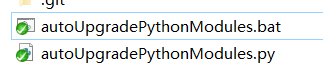
autoUpgradePythonModules.py:
import subprocess
import os

command = "pip list --outdated"

print('正在获取需要升级的模块信息,请稍后...')
print('Getting the information of outdated modules, wait a moment...')
print()

outdatelist = subprocess.Popen (command, stdout=subprocess.PIPE,stderr=subprocess.PIPE, shell = True).stdout.readlines()
updatelist = []

#print(outdatelist)
for i in outdatelist:
 i = str(i, encoding='utf-8')
 print(i,end='')
 i = i[:i.find(' ')]
 updatelist.append(i)
 #print('\n', i, len(i))

updatelist = updatelist[2:]
#print(updatelist)

c = 1
total = len(updatelist)
if updatelist :
 for x in updatelist:
  print('\n', c, '/', total, ' upgrading ', x, sep='')
  c += 1
  tempcmd = "pip install --upgrade " + x
  os.system(tempcmd)
 print("所有模块都已更新完毕!!")
 print('All modules have been updated.')
else :
 print("没有模块需要更新!!")
 print('All modules is updated.')
print('请按回车键以退出程序。')
print('Press enter key to quit.')
input()
Windows平台下可以运行下面的脚本,该脚本会自动获取管理员权限并进行更新(安装在C盘或者其他一些特殊的目录下可能需要管理员权限才能更新)。
autoUpgradePythonModules.bat:
@echo off
%1 mshta vbscript:CreateObject("Shell.Application").ShellExecute("cmd.exe","/c %~s0 ::","","runas",1)(window.close)&&exit
cd /d "%~dp0"
start python autoUpgradePythonModules.py
以上就是本文的全部内容,希望对大家的学习有所帮助,也希望大家多多支持【听图阁-专注于Python设计】。