python 爬取马蜂窝景点翻页文字评论的实现
使用Chrome、python3.7、requests库和VSCode进行爬取马蜂窝黄鹤楼的文字评论(http://www.mafengwo.cn/poi/5426285.html)。
首先,我们复制一段评论,查看网页源代码,按Ctrl+F查找,发现没有找到评论,说明评论内容不在http://www.mafengwo.cn/poi/5426285.html页面。

回到页面,划到评论列表,右键检查,选择Network,然后点击后一页翻页,观察Network里的变化,我们要爬的文件就在下面的某个文件里(主要找XHR和JS两个模块)。选择Preview可以更好的让我们寻找我们想要的文件,然后选择Headers找到我们要爬的url。
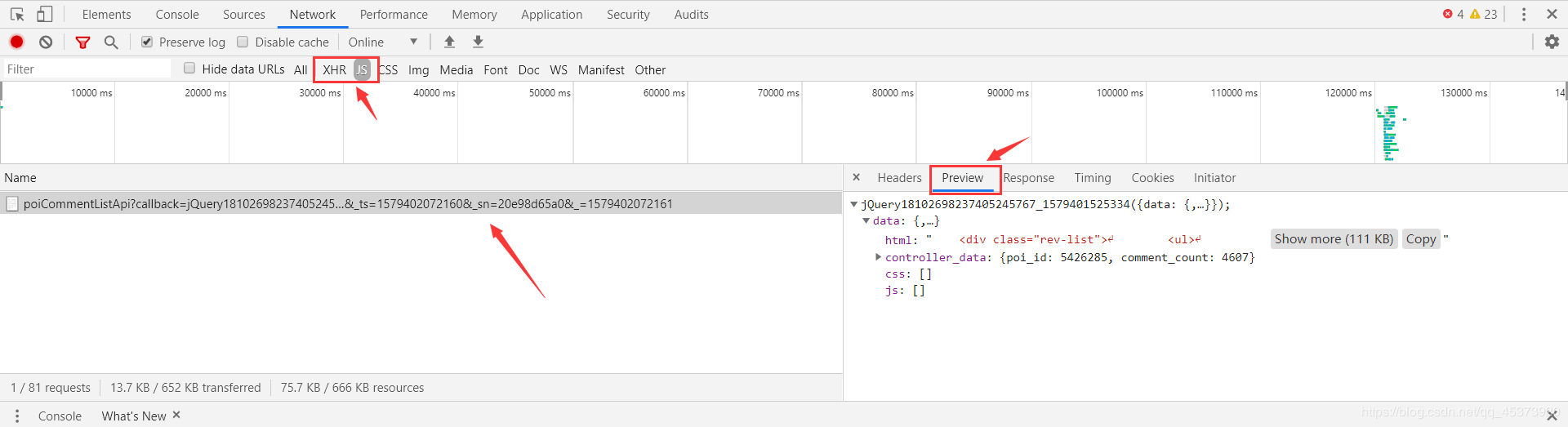
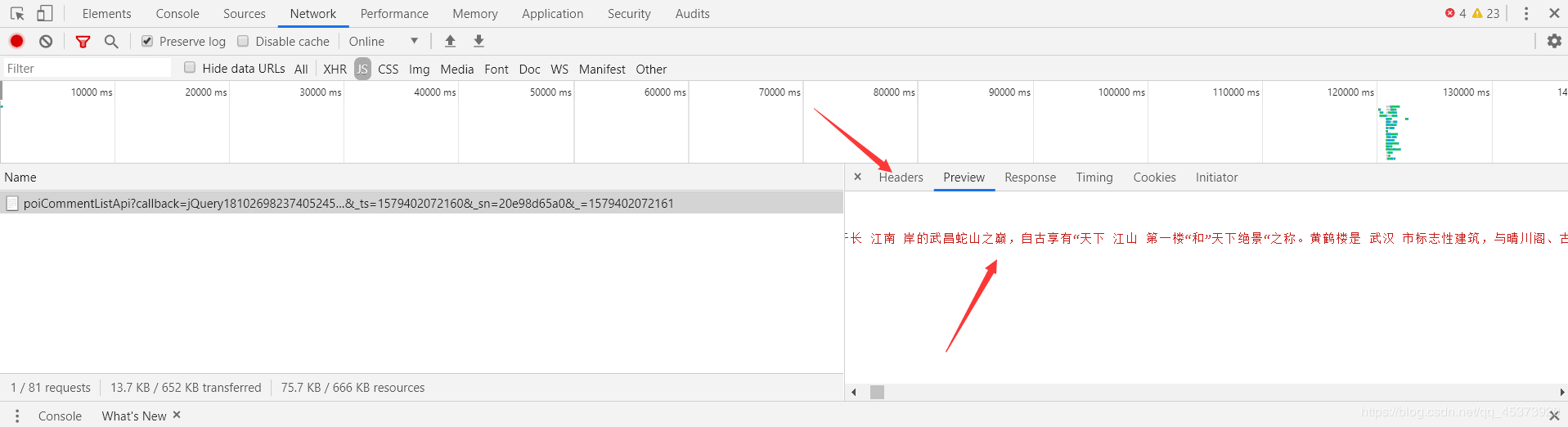
经过分析我们找到要爬取的url是http://pagelet.mafengwo.cn/poi/pagelet/poiCommentListApi?callback=jQuery18102698237405245767_1579401525334¶ms=%7B%22poi_id%22%3A%225426285%22%2C%22page%22%3A2%2C%22just_comment%22%3A1%7D&_ts=1579402072160&sn=20e98d65a0&=1579402072161
然而点进去是这样的

这个时候对比一下这两个页面的Request Headers,发现原页面多了个Refer参数
原页面


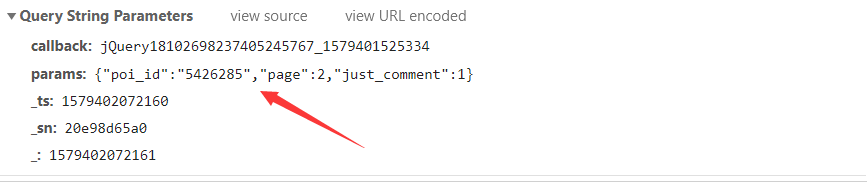
然后看一下请求get请求需要的参数Query String Parameters,其中poi_id是景点id,page是评论页面(翻页只用改变page的值就行)。
import re
import time
import requests
#评论内容所在的url,?后面是get请求需要的参数内容
comment_url='http://pagelet.mafengwo.cn/poi/pagelet/poiCommentListApi?'
requests_headers={
'Referer': 'http://www.mafengwo.cn/poi/5426285.html',
'User-Agent': 'Mozilla/5.0 (Windows NT 10.0; Win64; x64) AppleWebKit/537.36 (KHTML, like Gecko) Chrome/79.0.3945.88 Safari/537.36'
}#请求头
for num in range(1,6):
requests_data={
'params': '{"poi_id":"5426285","page":"%d","just_comment":1}' % (num) #经过测试只需要用params参数就能爬取内容
}
response =requests.get(url=comment_url,headers=requests_headers,params=requests_data)
if 200==response.status_code:
page = response.content.decode('unicode-escape', 'ignore').encode('utf-8', 'ignore').decode('utf-8')#爬取页面并且解码
page = page.replace('\\/', '/')#将\/转换成/
#日期列表
date_pattern = r'<a class="btn-comment _j_comment" title="添加评论">评论</a>.*?\n.*?<span class="time">(.*?)</span>'
date_list = re.compile(date_pattern).findall(page)
#星级列表
star_pattern = r'<span class="s-star s-star(\d)"></span>'
star_list = re.compile(star_pattern).findall(page)
#评论列表
comment_pattern = r'<p class="rev-txt">([\s\S]*?)</p>'
comment_list = re.compile(comment_pattern).findall(page)
for num in range(0, len(date_list)):
#日期
date = date_list[num]
#星级评分
star = star_list[num]
#评论内容,处理一些标签和符号
comment = comment_list[num]
comment = str(comment).replace(' ', '')
comment = comment.replace('<br>', '')
comment = comment.replace('<br />', '')
print(date+"\t"+star+"\t"+comment)
else:
print("爬取失败")
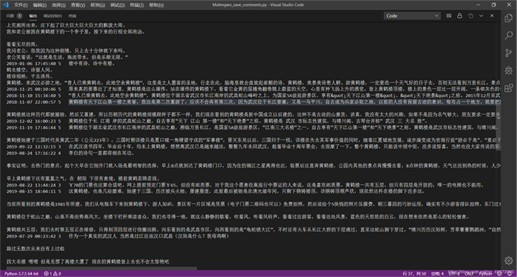
结果
以上就是本文的全部内容,希望对大家的学习有所帮助,也希望大家多多支持【听图阁-专注于Python设计】。